Cleaning Business Scheduling Software: 7 Checks | Doinn
Choosing the right cleaning business scheduling software isn’t just about picking a calendar that looks nice. It’s about finding a system that won’t collapse when you’re juggling recurring residential clients, last-minute Airbnb turnovers, and cleaners calling in sick at 7 AM on a Saturday.
Most cleaning companies discover the hard way that generic schedulers—designed for offices or consultants—break down when faced with the reality of service work. Routes matter. Skills matter. Same-day changes aren’t exceptions; they’re the norm. And if your software can’t handle all three, you’re not saving time; you’re creating chaos.
This guide walks through the seven critical checks every cleaning business should run before paying for scheduling software. Whether you’re managing residential crews, commercial contracts, or vacation rental turnovers, these are the deal-breakers that separate tools that work from tools that waste your money.
What a Cleaning Schedule Actually Has to Handle
Before you evaluate any software, be clear about what you’re asking it to do. A cleaning schedule isn’t just “who works when.” It’s a complex puzzle with multiple moving parts:
- Recurring residential jobs: Mrs. Johnson’s house every other Tuesday, the office park every Friday morning. These are predictable, route-optimized, and your bread and butter.
- Check-out-driven rental jobs: Airbnb turnovers that depend on someone else’s booking calendar. The guest checks out at 10 AM, the next guest arrives at 4 PM, and you have a 6-hour window that can shift by a day with zero notice.
- Commercial contracts: Large jobs that require specific crews, equipment, and time blocks. These can’t be scheduled around residential work.
- Emergency/one-off jobs: Move-out cleans, post-construction cleanup, same-day requests from VIP clients.
The problem: Most scheduling software is built for one type of work—usually recurring appointments. When you try to mix recurring residential with check-out-driven vacation rentals, the system breaks. You end up managing one calendar in your scheduling software and another in Airbnb, hoping they don’t conflict.
Recurring Residential Jobs vs Check-Out-Driven Rental Jobs
This is the first major fork in the road. Some software excels at recurring jobs but can’t handle dynamic, calendar-driven work. Other tools are built for vacation rental turnovers but lack the structure for weekly residential routes.
Recurring job requirements:
- Set-it-and-forget-it scheduling (every 2 weeks, first Monday of month, etc.)
- Route optimization to minimize drive time between similar neighborhoods
- Automatic client reminders (text/email 24 hours before)
- Credit card auto-charge for recurring billing
- Ability to skip a week or reschedule without breaking the pattern
Check-out-driven job requirements:
- Integration with Airbnb, VRBO, or Booking.com calendars
- Automatic job creation when a reservation is booked
- Buffer time between check-out and check-in (typically 4-6 hours)
- Same-day rescheduling when guests check out late or early
- Priority flagging (a 4 PM check-in today is more urgent than tomorrow’s job)
The reality check: If you do both types of work, you need software that can handle both without requiring you to maintain two separate systems. This is where most “cleaning business scheduling software” fails.
Dispatch by Route, Skill, and Availability
Assigning jobs isn’t just about who’s free. It’s about who’s free and has the right skills and is already in the right part of town.
Route optimization matters because: Your crews spend 30-40% of their day driving. If your software schedules a downtown apartment at 9 AM, a suburban house at 11 AM, and another downtown condo at 1 PM, you’re burning fuel and paying for drive time instead of cleaning time.
Skill matching matters because: Not every cleaner can handle every job. Some properties require:
- Deep clean expertise (post-construction, move-outs)
- Short-term rental turnover speed (4-hour windows)
- Commercial cleaning experience (offices, medical facilities)
- Luxury property training (high-end homes with specific protocols)
- Language requirements (bilingual crews for certain neighborhoods)
What to check: Can the software filter cleaners by skill set? Can it show you who’s available and qualified for a specific job? Or does it just show a calendar with names, forcing you to remember who can do what?
Same-Day Changes: Late Check-Outs and Cancellations
In vacation rentals, the schedule you made yesterday is obsolete by 10 AM today. Guests check out late. They request early check-ins. They cancel entirely. Your software needs to handle this chaos without requiring you to become a full-time dispatcher.
What good software does:
- Instant notifications: When an Airbnb guest messages the host about a late check-out, the cleaner gets an automatic alert.
- One-click rescheduling: Drag a job to a new time slot, and the software checks for conflicts, notifies the cleaner, and updates the client—all automatically.
- Buffer management: If a job runs late, the system automatically pushes back subsequent jobs and notifies affected cleaners.
- Cancellation workflows: When a job is cancelled, the system automatically frees up the time slot and notifies anyone who was waiting for that window.
What bad software does: Makes you call or text each cleaner individually. Requires manual calendar updates. Doesn’t track why jobs were moved, so you can’t identify patterns (like which property managers consistently run late).
The Cleaner’s View: What the App Must Show on the Phone
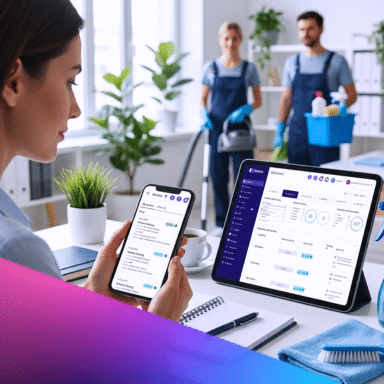
Your office staff might love a beautiful desktop dashboard, but your cleaners live on their phones. If the mobile app is clunky, they won’t use it—and you’ll be back to texting and calling.
Essential mobile features:
- Today’s schedule at a glance: Address, time window, property type, special instructions.
- Navigation integration: One tap to open Google Maps or Waze with the address pre-loaded.
- Checklist access: Can they see the cleaning checklist for this specific property type?
- Photo capture: Can they take before/after photos and attach them to the job?
- Time tracking: Can they clock in/out or mark tasks complete with timestamps?
- Offline mode: What happens when they’re in a basement or rural property with no signal? Can they still access the schedule and log work?
- Simple communication: Can they message the office or flag issues without leaving the app?
Test this before you buy: Ask for a demo login and have one of your actual cleaners try the mobile app. If they can’t figure it out in 10 minutes, it’s too complicated.
Time Tracking, Checklists and Photo Sign-Off
Scheduling is just the beginning. You also need proof that the work was done correctly, on time, and to your standards. This is where many schedulers fall short—they schedule the job but don’t capture what happened.
Time tracking: You need to know if a 2-bedroom apartment actually took 90 minutes or 3 hours. This affects:
- Pricing accuracy (are you charging enough?)
- Crew performance (who’s efficient vs. who’s slow?)
- Client disputes (proof of when cleaners arrived/left)
- Payroll (hourly workers vs. per-job rates)
Checklists: Every property type needs a standardized checklist. The software should:
- Auto-assign the right checklist based on property type
- Require cleaners to check off each item (not just “complete job”)
- Flag missed items before the job can be marked done
- Store completed checklists for quality audits
Photo sign-off: Photos are your insurance policy. The system should:
- Require timestamped, geotagged photos of key areas (kitchen, bathrooms, bedrooms)
- Automatically attach photos to the job record
- Allow you to review photos before the guest arrives (for vacation rentals)
- Store photos for 30-90 days in case of damage disputes
Invoicing from the Completed Job
The best scheduling software connects the completed job directly to invoicing. When a cleaner marks a job done, the system should automatically:
- Generate an invoice based on the service type and property size
- Add any extras noted during the clean (inside fridge, oven deep clean, etc.)
- Email or text the invoice to the client immediately
- Charge stored credit cards for recurring clients
- Sync the payment to your accounting software (QuickBooks, Xero, etc.)
What breaks: When scheduling and invoicing are separate systems, you end up double-entering data. The cleaner marks the job complete in the scheduler, then someone has to manually create an invoice in QuickBooks. This creates errors, delays payments, and wastes administrative time.
Where General Schedulers Fall Short for Rental Cleaning
Popular scheduling tools like Calendly, Acuity, or even generic field service software have one fatal flaw for cleaning businesses: they assume you control the calendar.
With vacation rentals, you don’t control the calendar. Airbnb guests book when they want. Hosts change check-in times. Properties get double-booked. Your scheduling software needs to react to someone else’s calendar, not just manage your own.
This is where Doinn wins: Built specifically for short-term rental cleaning operations, Doinn integrates directly with Airbnb, VRBO, and Booking.com. When a reservation is made, a cleaning job is automatically created. When a guest messages about early check-in, your cleaners are instantly notified. When the clean is complete with photo proof, the property manager knows the unit is ready.
💡 Why Doinn Was Built Different
Most scheduling software was built for consultants, salons, or contractors who control their own calendars. Doinn was built for cleaning companies who live at the mercy of Airbnb guests and property managers.
What this means in practice:
- 🔄 Two-Way Calendar Sync:
Airbnb bookings automatically create cleaning jobs. No manual entry. No forgotten turnovers. The system knows when guests book, cancel, or change dates—and adjusts your schedule instantly.
💰 The Result: Cleaning companies using Doinn report 40-60% less time spent on scheduling, 90% reduction in missed turnovers, and the ability to scale from 50 to 200+ properties without hiring additional admin staff.
Ready to Stop Juggling Calendars?
If you’re still managing Airbnb turnovers with spreadsheets, texts, and prayers, it’s time for software built for your reality. Doinn handles the chaos so you can scale with confidence.
Doinn is the only scheduling platform built specifically for cleaning companies serving short-term rentals and vacation properties.
- ✅ Automatic job creation from the OTAs calendars
- ✅ Route optimization and skill-based dispatch
- ✅ Mobile app with offline mode for cleaners
- ✅ Photo proof, checklists, and automated invoicing
💡 Don’t settle for software that almost works. See why hundreds of cleaning companies trust Doinn to handle their most complex scheduling challenges.
🔒 No credit card required • 30-minute walkthrough • See it in action
Frequently Asked Questions (FAQ) About Cleaning Business Scheduling Software
What is the best scheduling software for a cleaning business?
The best software depends on your business model. For residential-only cleaning with recurring clients, tools like Jobber or Housecall Pro work well. For cleaning companies serving short-term rentals and Airbnb properties, Doinn is purpose-built to handle calendar-driven turnovers, automatic job creation from booking platforms, and the rapid same-day changes that define vacation rental cleaning.
Can scheduling software handle Airbnb turnovers?
Generic scheduling software cannot handle Airbnb turnovers effectively because it lacks two-way calendar integration. Doinn, however, syncs directly with the OTAs such Airbnb, VRBO, and Booking.com to automatically create cleaning jobs when reservations are made, adjust schedules when guests change dates, and prioritize same-day turnovers based on check-in times.
Do cleaners need an app, or is a shared calendar enough?
A shared calendar is not enough for professional cleaning operations. Cleaners need a mobile app that shows route-optimized schedules, property-specific checklists, time tracking, photo capture, and offline access. Without an app, you’ll waste hours daily texting addresses, answering “what time am I supposed to be here?” calls, and chasing photo proof of completed work.
How much does cleaning scheduling software cost?
Pricing varies widely. Basic schedulers start at $20-50/month but lack cleaning-specific features. Professional cleaning business software ranges from $100-300/month for small teams (1-10 cleaners) and $300-800/month for larger operations. Doinn pricing is based on the number of properties managed, typically ranging from $99-499/month, with enterprise pricing available for companies managing 500+ units.