Cleaning Rota Template for Cleaning Teams | Doinn
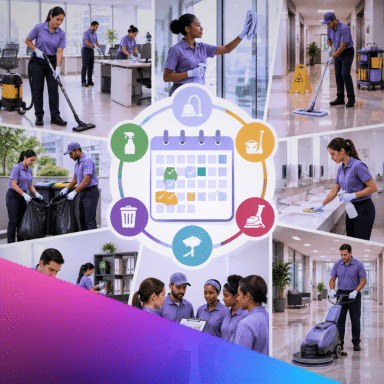
A cleaning rota template built for changeover cleaning is fundamentally different from a standard weekly schedule. It is built from check-out dates, not weekdays, and must account for the Saturday surge, travel time between properties, and the reality that one missed clean can cascade into guest complaints and five-star reviews lost.
As Doinn’s CEO, I see cleaning teams drowning in WhatsApp messages and spreadsheet chaos every Friday afternoon. This guide provides a practical, downloadable rota template designed specifically for Airbnb and holiday let cleaning teams, along with the warning signs that your current spreadsheet system has already broken.
What a rota for changeover cleaning has to show
Unlike office cleaning or domestic weekly cleans, changeover cleaning for short-term rentals operates on a different rhythm. Your rota must display:
- Check-out dates, not just days: The rota revolves around guest departures, which cluster heavily on Saturdays and Sundays
- Property addresses and postcodes: Essential for calculating travel time and routing
- Turnover windows: The critical gap between check-out (often 10am) and check-in (often 3pm or 4pm)
- Team assignments: Which cleaner or team is responsible for which property
- Travel time buffers: Realistic gaps between properties based on distance
- Colour coding: Visual indicators for urgent cleans, mid-stays, deep cleans, and maintenance
The template: columns, colour codes and a worked week
A proper cleaning rota template includes these essential columns:
| Column | Purpose | Example |
|---|---|---|
| Date | The calendar day | Saturday 15 June |
| Property Name/Code | Quick identification | Seaside Cottage #12 |
| Full Address | Navigation and routing | 12 Marine Parade, TR26 1AB |
| Check-out Time | When cleaning can start | 10:00 |
| Check-in Time | Hard deadline for completion | 16:00 |
| Assigned Team | Who is responsible | Sarah & James |
| Service Type | Turnover, mid-stay, or deep clean | Full Turnover |
| Travel Time | Minutes from previous property | 25 mins |
| Status | Pending, in progress, completed | Completed ✓ |
Colour coding system:
- ■ Red: Urgent same-day turnover with tight window
- ■ Orange: Standard turnover (4-6 hour window)
- ■ Yellow: Mid-stay clean or linen change
- ■ Green: Deep clean or maintenance support
- ■ Grey: Blocked/unavailable or holiday
Building the rota from check-out dates, not weekdays
This is the critical mistake most cleaning companies make: they build rotas around Monday-to-Friday thinking. But in holiday lets, Saturday is the superhighway.
The correct approach:
- Start with your PMS calendar: Export all check-outs and check-ins for the week
- Identify the crunch points: Saturdays typically have 60-70% of your turnover volume
- Work backwards from check-in times: If a guest arrives at 4pm, the clean must be finished by 3pm at the latest
- Cluster properties geographically: Assign one team to the coastal cluster, another to the village cluster, minimising travel time
- Build in buffer time: Add 15-30 minutes between properties for unexpected delays (lock issues, extra mess, etc.)
Cover, holidays and the Saturday surge
The Saturday surge is real: you might have 30 cleans on Saturday and only 5 on Wednesday. Your rota must account for:
- Team capacity: If you have 4 teams and 30 Saturday cleans, that is 7-8 cleans per team, which is unrealistic. You need temporary Saturday-only staff or split shifts.
- Holiday cover: Bank holidays and school holidays see 2-3x normal volume. Your rota template should have a “peak season” variant with additional columns for overflow teams.
- Sickness and no-shows: Always have one floating cleaner or on-call team listed in the rota for emergency cover.
Travel time between properties
One of the most common rota failures is ignoring travel time. A clean might take 90 minutes, but if the next property is 45 minutes away across rural Cornwall, your team cannot do back-to-back cleans.
Best practice:
- Use Google Maps to calculate realistic travel times (not straight-line distance) Add 20% buffer for parking, finding keys, and rural lanes
- Cluster properties: assign one team to “North Coast”, another to “South Villages”
- Mark properties that are “walkable” (under 15 minutes) as potential back-to-backs
Sharing the rota: WhatsApp, spreadsheet or app
How you distribute the rota matters as much as how you build it:
| Method | Pros | Cons |
|---|---|---|
| WhatsApp Group | Instant, everyone has it | Chaotic, no audit trail, updates get lost in chat |
| Google Sheets | Live updates, accessible | Version confusion, mobile viewing is poor, no offline access |
| PDF Email | Professional, permanent | Static—any change requires re-sending to everyone |
| Dedicated App (Doinn) | Real-time, mobile-first, automated from bookings | Requires training and subscription |
The reality: Most cleaning companies start with WhatsApp + spreadsheet, then graduate to an app when they hit 50+ properties and the WhatsApp chaos becomes unmanageable.
When a spreadsheet rota breaks, and the signs it already has
Your spreadsheet rota has broken if you recognise these signs:
- Version confusion: “Are you looking at the Tuesday version or the updated Tuesday v2 version?”
- Missed cleans: Properties skipped because someone forgot to check the sheet or WhatsApp message got buried
- Double-booking: Two teams assigned to the same property, or one team scheduled for two properties at the same time
- Last-minute panic: Friday afternoon scramble to find cover for Saturday’s 30 cleans because someone is off sick
- No travel time: Teams constantly running late because the rota assumes 10-minute journeys that are actually 35 minutes
- Guest complaints: “The cleaner never showed up” or “They arrived 3 hours late”
If you have two or more of these symptoms, your rota system is costing you money in guest refunds, five-star review losses, and staff burnout.
Download the template
Download the Cleaning Rota Template (Excel/Google Sheets)
The template includes:
- Pre-formatted columns for all essential data
- Colour-coding system built in
- A worked example of a busy Saturday
- Travel time calculator
- Peak season variant for bank holidays
Ready to move beyond spreadsheet chaos?
When your cleaning rota is built from actual check-out dates, integrated with your booking system, and automatically shared with your teams, you eliminate the chaos that causes missed cleans and angry guests.
Doinn automatically builds your cleaning rota from your PMS bookings, accounts for travel time, and pushes real-time updates to your teams’ mobile phones.
- ✅ Automated rota generation from check-out dates
- ✅ Real-time updates when bookings change
- ✅ Mobile app for cleaners with navigation and checklists
Stop managing chaos. Start managing your cleaning business with systems that scale.
No commitment • 30 minutes • 24-hour response
Frequently Asked Questions about Cleaning Rota Templates
How do I make a cleaning rota?
To make a cleaning rota for Airbnb or holiday lets: (1) Export all check-outs and check-ins from your booking system for the week; (2) Create columns for date, property, address, check-out time, check-in time, assigned team, service type, travel time, and status; (3) Colour-code by urgency (red for tight windows, orange for standard turnovers); (4) Cluster properties geographically to minimise travel time; (5) Build in 15-30 minute buffers between properties; (6) Share via a live document (Google Sheets) or dedicated app rather than static PDFs or WhatsApp messages.
What should a cleaning rota include?
A cleaning rota for changeover cleaning must include: property name and full address with postcode, check-out and check-in times (the critical window), assigned cleaning team or individual, service type (full turnover, mid-stay, or deep clean), travel time between properties, status indicators (pending, in progress, completed), and colour-coding for urgency. It should also account for the Saturday surge, bank holiday peaks, and have emergency cover listed for sickness or no-shows.
How do cleaning companies schedule Airbnb cleans?
Professional cleaning companies schedule Airbnb cleans by working backwards from check-in times, not forwards from check-outs. If a guest arrives at 4pm, the clean must be finished by 3pm. They cluster properties geographically to minimise travel time, assign teams to specific zones (e.g., “North Coast team”), build in 15-30 minute buffers for delays, and use automated systems that pull data directly from the PMS rather than manual spreadsheet entry. The best operators use apps like Doinn that automatically generate rotas from booking data.
Is there an app for cleaning rotas?
Yes. While many cleaning companies start with WhatsApp and Google Sheets, dedicated apps like Doin offer automated rota generation from booking systems, real-time updates when bookings change, mobile apps for cleaners with GPS navigation and digital checklists, and automatic travel time calculations. These apps eliminate the version control chaos of spreadsheets and ensure cleaners always have the latest schedule on their phones, even offline.